Obtainium
Obtainium is an Android app that lets you fetch and update apps directly from the publisher’s own distribution page, bypassing app stores.
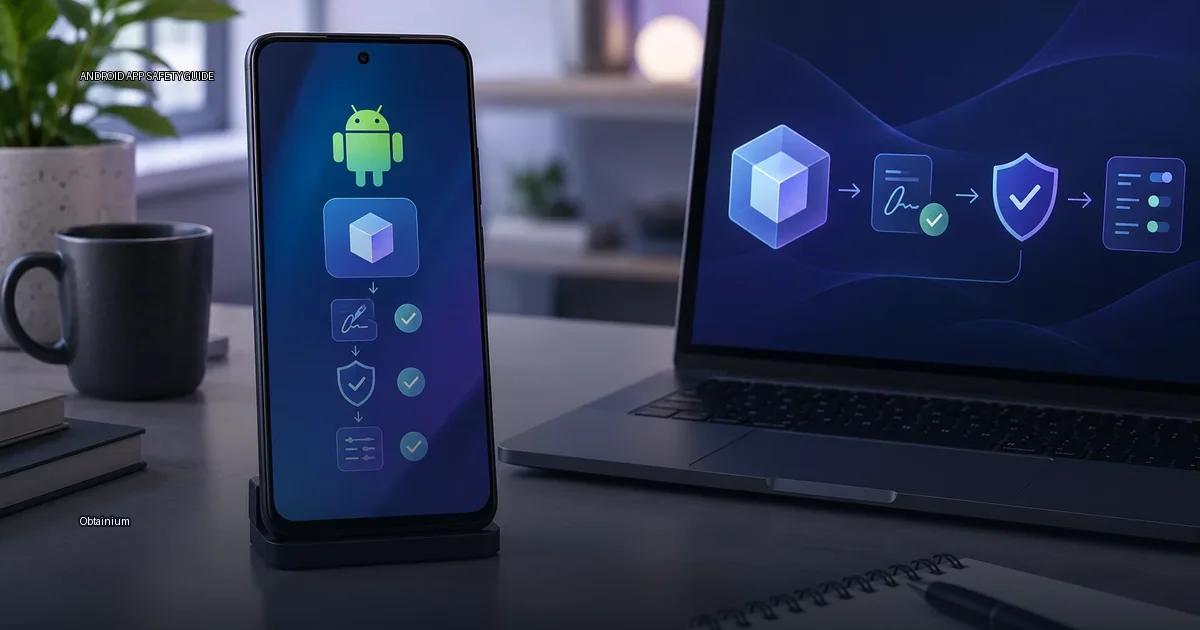
Obtainium is an Android app that lets you fetch and update apps directly from the publisher’s own distribution page, bypassing app stores. It is a client for “direct-source update tracking”: instead of waiting for a store to publish an update, Obtainium checks the sources you configure, GitHub releases, GitLab, F-Droid, the publisher’s website, or a direct APK URL, and downloads the new build when it appears. The core idea is that you, the user, choose the source, and you are responsible for verifying that the source is the publisher’s official channel.
For broader guidance on finding, verifying, and installing APKs, see the pillar guides: APK basics, Find apps safely, Verify an APK, Install and update safely, and Permissions and privacy.
How Obtainium Works
Obtainium is an Android app that fetches and updates apps directly from their official distribution pages. Instead of waiting for a store to push an update, Obtainium checks the sources you configure and downloads the APK or app bundle when a new build is published. The app is designed for users who already know exactly which project or publisher they want to follow.
Supported sources include:
- GitHub Releases
- GitLab Releases
- F-Droid and F-Droid-compatible repos
- Direct APK URLs on publisher sites
- Some app stores’ public pages
When you add an app, Obtainium reads the distribution metadata from that source and matches it against the app’s current build on your device. If a newer build exists, it offers the update. The signature of the downloaded file is then compared with the signature of the installed app.
The key point: Obtainium does not curate or vouch for the apps it tracks. It is a direct-source update client, not a store. The trust decision is yours.
What Obtainium Does
Obtainium lets you track and fetch Android apps directly from the publisher’s own distribution page, instead of through a store. It monitors sources like GitHub Releases, GitLab, F-Droid, or the publisher’s website, checks for a new build, and downloads the APK or app bundle from that source. The app then hands the file to the Android installer.
The practical result is that you can get updates faster than a store would deliver them, and you can install apps that are not listed in your regional store. The trade-off is that you are now responsible for verifying that the download is genuine and that the update is signed by the same key as the previous build. Google Play Help describes the default warning about unknown sources as applying to “apps you install from outside the Play Store,” and it does not distinguish between a publisher’s own site and an untrusted mirror (Google Play Help, 2024).
Signature Continuity Is the Core Promise
When you add an app source, Obtainium records the signing certificate of the first APK you install. On every subsequent update, it compares the new APK’s signature to the stored one. If the signature differs, the update is rejected with a clear error. This is the same protection model used by package managers on desktop Linux: trust is pinned to a key, not to a website or a store listing. The feature is documented in the project’s README on GitHub, and it is the main reason Obtainium is considered a safer way to track direct downloads than manually downloading APKs from random sites.
You Are the Trust Anchor
Obtainium does not curate apps and does not scan them for malware. It is a downloader and updater that fetches APK files from the distribution pages you configure. If the source is a publisher’s official GitHub Releases page, the file is as trustworthy as that publisher’s own distribution channel. If the source is a random forum, the file is as trustworthy as that forum. Obtainium does not change that equation; it only automates the download and update check. This is the single most important fact to understand before using it.
The publisher’s official channel is the only reliable source for an APK. A checksum published on the publisher’s site or verified through the publisher’s authenticated channel (their official website, their GitHub repository, or their official social media) can confirm file integrity. A checksum posted on a forum or a random blog is not proof of anything, because the attacker can simply post the checksum of the modified file. Verification must begin with the publisher’s authenticated channel.
How Obtainium Fits into the Android Ecosystem
Obtainium is an open-source app manager for Android that tracks app distributions directly from the publisher’s own pages and repositories. Instead of pulling from a central store, it watches the same channels a publisher distributes to: GitHub Releases, GitLab Releases, F-Droid, the publisher’s website, and other direct sources. When a new build is detected, Obtainium downloads the APK or app bundle and lets you install it.
The Trust Model Differs from a Store
A store like Google Play applies its own review and signing process. Obtainium does not add a review layer; it simply fetches what the publisher published and installs it with the publisher’s signature. This means the safety of an Obtainium install is the safety of the publisher’s own distribution channel, plus your own verification habits.
What Obtainium Actually Tracks
You add an app by giving Obtainium the URL of the publisher’s distribution page, for example, a GitHub Releases page, a GitLab releases page, an F-Droid repository, or a direct APK URL. The app then checks that page for new builds and can download the APK or app bundle directly from that source. It does not host files itself; it only fetches what the publisher publishes.
The key term is “direct source.” When you use Obtainium, you are bypassing Google Play’s storefront and update mechanism and instead pulling updates from the publisher’s own distribution channel. This is the same mechanism a publisher uses when they publish a new build on their website or GitHub. The app itself is not modified by Obtainium; it downloads whatever file the publisher published.
Open-Source and Self-Buildable
Obtainium is an open-source app. Its source code is public, and you can build it yourself if you do not want to use a prebuilt distribution. The project does not operate a central app store, and it does not host or mirror app files. It tracks distribution pages and downloads the file linked there, then hands it to the Android installer. The project’s documentation (Obtainium, 2024) states that it supports “APK, APKMirror, F-Droid, and direct links” and that it checks the app’s signature against the previous build when updating.
More in this guide
Android app sources and package formatsGoogle PlayOfficial Android app sources.
Read next
-
 Google Play
 is the default app store on most Android devices, but it is one distribution channel among several.
Google Play
Google Play is the default app store on most Android devices, but it is one distribution channel among several.
-
 F-Droid
 is a software repository and installation client for Android that focuses exclusively on free and open-source software (FOSS).
F-Droid
F-Droid is a software repository and installation client for Android that focuses exclusively on free and open-source software (FOSS).
-
 GitHub Releases
 is a distribution point on a software project’s repository where maintainers publish tagged builds for download.
GitHub Releases
GitHub Releases is a distribution point on a software project’s repository where maintainers publish tagged builds for download.
-
 Samsung Galaxy Store
The Samsung Galaxy Store is the default application storefront on Samsung Galaxy phones and tablets.
Samsung Galaxy Store
The Samsung Galaxy Store is the default application storefront on Samsung Galaxy phones and tablets.
-
 Amazon Appstore
 is an official Android app marketplace operated by Amazon.
Amazon Appstore
Amazon Appstore is an official Android app marketplace operated by Amazon.
-
 APKMirror
 hosts Android APK files for people who need to install an app outside the Play Store.
APKMirror
APKMirror hosts Android APK files for people who need to install an app outside the Play Store.