APKMirror
APKMirror hosts Android APK files for people who need to install an app outside the Play Store.
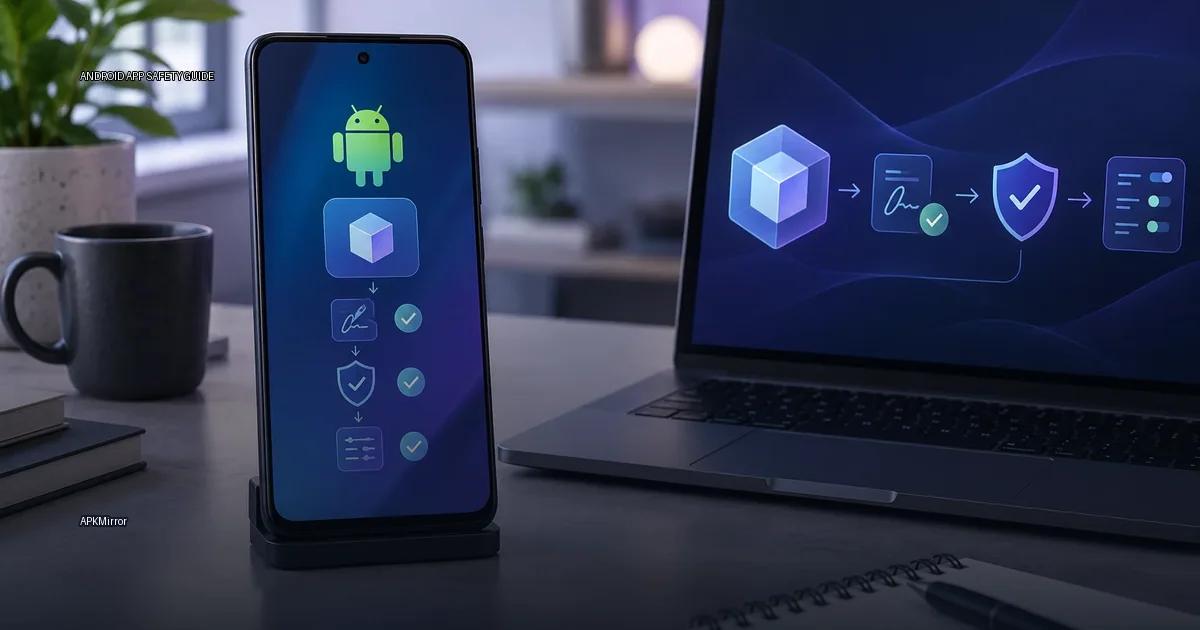
APKMirror hosts Android APK files for people who need to install an app outside the Play Store. You might use it when an app is not available in your region, when your device is blocked from a Play Store listing, or when you need an older version. The site’s central promise is that it checks every upload against the developer’s own signing key. That check is useful, but it is not a safety guarantee. Knowing exactly what APKMirror verifies, and what it does not, lets you decide when the site is the right tool and when you still need to do your own verification.
What APKMirror states about its vetting
APKMirror says it only hosts APK files distributed by the app’s publisher or an authorized partner. The site states that it does not accept modified, cracked, or repackaged apps. Its published process involves verifying that the cryptographic signature on the uploaded file matches the publisher’s release key. If the signature does not match, the file is rejected.
That is the limit of what APKMirror claims. It does not claim to perform malware analysis, a privacy audit, or a code review. It does not claim to be affiliated with Google or with any app publisher. It is an aggregator, not a store, and it does not host apps on behalf of publishers. The practical consequence is that “from APKMirror” is not the same as “from the publisher.” You still need to verify the publisher and the file before installing.
What APKMirror actually checks
APKMirror states that every APK is checked before publication. The checks are technical, not editorial:
- The APK’s signing certificate is compared against the certificate of the same app from a known source, usually the publisher’s own release or the version previously listed on the site.
- The app is not modified from the publisher’s build.
- The app’s package name and version code are checked against the publisher’s official release channel.
- The site does not host modded APKs, cracked apps, or paid apps bypassed from the Play Store.
That last point matters. APKMirror is a mirror of publisher-supplied files, not a repository of modified ones. If a file does not match the publisher’s official signing key, it is rejected. But that does not mean the file is safe in an absolute sense. A signed APK from a malicious publisher is still malicious; the signature only proves the same publisher signed it, not that the publisher is trustworthy. The site’s own description of its process, published on its “About” page, states that every APK is checked against the publisher’s key and that files are not modified (APKMirror, 2024).
The signature continuity rule
The core promise of APKMirror is signature continuity. For each app it hosts, APKMirror claims to check that the signing certificate of the uploaded file matches the certificate of the app as published by its creator. This is the same check Android uses to decide whether an update can be installed over an existing app. If a file’s certificate does not match the publisher’s key, the install will fail with “App not installed” on a device that already has the app, or the file is flagged as untrusted on a fresh install.
That check is the main reason APKMirror is often described as trustworthy. It does not mean the app itself is free of malware; it means the file was signed with the same key as the publisher’s release. If a publisher’s own signing key is compromised, or if the publisher ships a malicious update, APKMirror’s check will not catch that. The site also states that it only hosts apps that are free or freemium, and that it does not host modified apps or cracked versions.
What the site does not check
APKMirror does not perform malware analysis, a privacy audit, or a code review. It does not claim to be affiliated with Google or with any app publisher. The practical takeaway: APKMirror is a convenient index, not a security guarantee. You still need to verify the publisher and the file before installing.
What APKMirror is
APKMirror is an Android app repository that hosts APK files for download. It is not an official store operated by Google or by app publishers. The site’s stated purpose is to mirror APK files that are already published elsewhere, mainly from Google Play, so users can install apps outside the Play Store. The site is operated by the same team behind the tech news site Android Police (APKMirror, 2024). It is commonly used to get older versions of apps, region-restricted apps, or updates before they reach a user’s device.
APKMirror does not host modded APKs, cracked apps, or paid apps for free. Its stated policy is to host only unmodified APK files, and it claims to verify that the certificate on each uploaded file matches the publisher’s key. This is the key difference between APKMirror and unofficial aggregators.
Where APKMirror fits in your workflow
APKMirror is a mirror of publisher-supplied files, not a repository of modified ones. Its value is in certificate verification, not in security scanning. Use it when you need an older version of an app you already trust, or when a trusted app is unavailable in your region. Do not treat it as a substitute for checking the publisher’s identity, reading permissions, or scanning the file with your own tools before installing.
More in this guide
Android app sources and package formatsGoogle PlayAndroid App Bundles.
Read next
-
 Google Play
 is the default app store on most Android devices, but it is one distribution channel among several.
Google Play
Google Play is the default app store on most Android devices, but it is one distribution channel among several.
-
 F-Droid
 is a software repository and installation client for Android that focuses exclusively on free and open-source software (FOSS).
F-Droid
F-Droid is a software repository and installation client for Android that focuses exclusively on free and open-source software (FOSS).
-
 GitHub Releases
 is a distribution point on a software project’s repository where maintainers publish tagged builds for download.
GitHub Releases
GitHub Releases is a distribution point on a software project’s repository where maintainers publish tagged builds for download.
-
 Samsung Galaxy Store
The Samsung Galaxy Store is the default application storefront on Samsung Galaxy phones and tablets.
Samsung Galaxy Store
The Samsung Galaxy Store is the default application storefront on Samsung Galaxy phones and tablets.
-
 Amazon Appstore
 is an official Android app marketplace operated by Amazon.
Amazon Appstore
Amazon Appstore is an official Android app marketplace operated by Amazon.
-
 Obtainium
 is an Android app that lets you fetch and update apps directly from the publisher’s own distribution page, bypassing app stores.
Obtainium
Obtainium is an Android app that lets you fetch and update apps directly from the publisher’s own distribution page, bypassing app stores.