Modded apps and unofficial APKs: what the risks are
When you search for a popular Android app and the first result is a “modded” or “unlocked” version, the promise sounds appealing: extra features, removed ads, or a paid app for free.
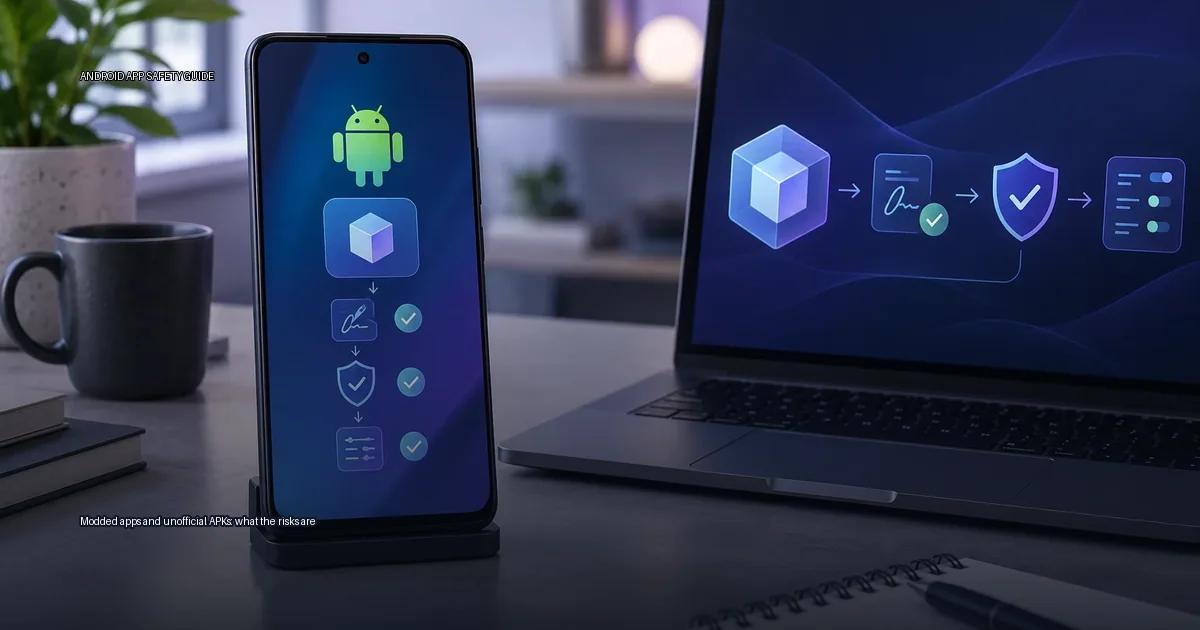
When you search for a popular Android app and the first result is a “modded” or “unlocked” version, the promise sounds appealing: extra features, removed ads, or a paid app for free. Files like FMWhatsApp, GBWhatsApp, Fouad WhatsApp, or download hubs like ACMarket have been part of that search history for years. The risk is not the APK file format itself. The risk is what a modified app can do to your data, your account, and your device, and how hard it can be to tell a safe file from a weaponised one.
The one-sentence distinction: an app’s signing key is the only reliable chain of trust when you install outside a store, and a modified APK breaks that chain by replacing the developer’s key with an anonymous one.
Modded apps and unofficial APKs: what the risks are in practice
Android lets you install apps outside the Play Store. That process is called sideloading, and it is not automatically dangerous. The danger is not the act of installing a file; it is the identity of the file and whether you can verify that identity.
When you install an app from the Google Play Store, the store checks the app’s signing certificate against the developer’s key, scans it with Play Protect, and manages updates. When you sideload an APK, you take over those checks. The system will still enforce signing rules, but only on the certificate of the file itself, not the trustworthiness of the person who signed it. A self-signed certificate proves that the same key signed the current file and the previous version of the same app; it does not prove that the signer is the developer you think they are. That distinction is the entire risk model of sideloading.
The examples that appear in searches for “FMWhatsApp” or “GBWhatsApp” are used here only as case studies for what can go wrong. No links to those packages or any similar package appear here.
The core risk is not sideloading; it is the source and the signing key
Sideloading is a mechanism. The risk lives in the file’s origin and in the certificate that vouches for it. A matching hash proves file identity and a matching signing certificate supports publisher continuity; neither proves an app is harmless. When you cannot trace a file to its original developer and verify that the developer’s own key signed it, you are relying on an anonymous signer’s promise. That promise is unenforceable.
Why the signing key matters
Android treats an app signed by a different key as a completely different app, even if the package name is identical. That mismatch is what makes an app “modded” in a technical sense, and it is also what makes it dangerous to update, because the update path is controlled by whoever re-signed the app, not by the original developer.
Because the signing key is different, the system treats the modded app as a completely separate application from the official one. That means:
- It cannot be updated through the original developer’s channel; the certificate will not match.
- It will not appear as the same package identity in the system, so Play Protect may not associate it with the official app.
- It can contain injected code that the original developer never wrote, including ad libraries, trackers, or credential stealers.
- It can be re-signed by anyone who obtains the base APK, so the “modder” is the actual signer of record.
What an APK actually is
An APK (Android Package Kit) is the installable file format for the platform. It contains the compiled code, resources, a manifest, and a digital signature. The signature is not decorative: the operating system uses it to confirm that an update comes from the same developer key as the currently installed app. When you install an APK, the system checks the signature against the existing app (if any) and against the certificate that signed the file.
A related format, the Android App Bundle (AAB), is the publishing format used by Google Play. It is not installed directly on a device; the Play Store generates a device-specific APK from it. The relevant distinction is simple: an APK is a file you can install, while an AAB is a publishing format you never install directly.
The practical rule: an app’s signing certificate is the only reliable chain of trust when you install outside a store. The certificate proves that the file was signed by the same key as previous versions, and modern signature schemes (v2 and v3) cover the entire file contents. A mismatched certificate is the most common cause of “App not installed” errors and a strong sign of tampering.
What a modded app actually is
A modded app is an APK that has been altered after the developer released it. The modification can be cosmetic, such as changing the theme or layout, or functional, such as removing ads, unlocking premium features, or changing the app’s behaviour. The most well-known examples in the messaging space are the WhatsApp variants that circulated under names like FMWhatsApp, GBWhatsApp, Fouad WhatsApp, and WhatsApp Plus. These are not developed by Meta; they are rebuilt from the official client’s APK with changes to theming, privacy toggles, and anti-ban tweaks. They have circulated for years through forums, file-sharing sites, and third-party app stores, and they remain a common search topic because users want features the standard app does not offer.
The core risk is not the act of sideloading itself. The risk is that an unofficial APK is a file you cannot fully account for. You are trusting whoever rebuilt the package to have changed only what they claim to have changed. That trust is often misplaced.
How a modded APK is built
Someone takes the base APK, decompiles it, changes resources or code, re-signs it with their own certificate, and distributes it outside the official store. The signing step is the critical part. The operating system uses the signing certificate to decide whether an update is from the same developer. When a modder re-signs an app, the certificate no longer matches the original developer’s key. That means:
- The app can no longer update through the official channel; the certificate check fails.
- The app can be silently changed by anyone who has the modder’s signing key.
- Play Protect may treat the re-signed app as “unknown” even if the code is clean.
The supply-chain problem
Apps like FMWhatsApp, GBWhatsApp, Fouad WhatsApp, and similar modified clients have circulated for years on forums and third-party sites. They promise extra themes, privacy toggles, or anti-delete features that the standard app does not offer. The risk is not the extra feature itself; it is the supply chain. These files are not signed by the original developer, they do not come from an authenticated channel, and they update on the modder’s schedule, not the vendor’s. A modified app can contain the same code as the original plus an extra permission, a changed update server, or a re-routed API endpoint, and the certificate will not match the authentic app.
The messaging variant case study
FMWhatsApp, GBWhatsApp, Fouad WhatsApp, and similar modified clients are not published by Meta, are not available on Google Play, and are distributed through third-party sites and Telegram channels. They are built by modifying the official messaging APK to add features like custom themes, privacy toggles, or message scheduling. Because the certificate of the modified package differs from the official one, the operating system treats it as a separate app. That means it can sit alongside the real client, receive the same notifications, and have access to the same chat databases if you restore a backup. The risk is not the code itself being obviously malicious in every case; the risk is that you cannot verify who signed the file, what it does with your data, and whether it will keep receiving security updates.
The practical risk is that a modified app can request permissions that the original would not, can ship with a backdoor, and can be updated by an anonymous person who controls the distribution channel. Account bans are a separate but common outcome: the messaging platform’s developer has stated that using unofficial clients can lead to temporary or permanent bans (WhatsApp Help Center, 2023). The same logic applies to modded versions of other apps: the modification is outside the developer’s release channel, so the developer cannot vouch for its behaviour or its updates.
How to verify an APK before you install it
You need a decision procedure, not a list of apps to avoid or trust. Before you install any APK outside the Play Store, work through these four checks.
1. Check the source
Download the file only from the developer’s own website or a repository they link to directly. If the app is not available from the developer at all, stop. A forum post, a Telegram channel, or a file-sharing link is not a source you can verify. Ask yourself: “Can I confirm that the person or site offering this file is the same entity that built the app?” If the answer is no, treat the file as untrusted.
2. Verify the signing certificate
Compare the APK’s signing certificate fingerprint against the fingerprint of the version you know is authentic. You can extract the certificate fingerprint with command-line tools like keytool or apksigner. If the developer publishes their official certificate fingerprint, compare it directly. If the fingerprints do not match, the file has been re-signed by someone else and you should not install it.
3. Compare the permissions
Before installing, inspect the permissions the APK requests. On most devices, the package installer shows the full list. Compare that list against the permissions the official version requests (you can check these on the Play Store listing or the developer’s site). A modded app that asks for extra permissions, such as access to contacts, SMS, or accessibility services that the original does not need, is a red flag.
4. Understand what Play Protect can and cannot do
Play Protect scans apps when you install them and periodically during use. It can detect known malware signatures and some repackaged apps. It cannot guarantee that a re-signed app with no known malware signature is safe. A clean Play Protect result on a modded APK tells you only that the file does not match a known threat at that moment. It does not vouch for the signer’s identity or the file’s future updates. Treat Play Protect as one signal, not a safety guarantee. Keep Play Protect enabled; a warning that an app is harmful means you should not proceed with the installation.
More in this guide
Read next
-
 Official Android app sources
The safest way to get an app onto an Android device is to start with a source you can verify.
Official Android app sources
The safest way to get an app onto an Android device is to start with a source you can verify.
-
 Verify a developer download page
When you decide to install an Android app from outside the Play Store, the download page is the first and most important security checkpoint.
Verify a developer download page
When you decide to install an Android app from outside the Play Store, the download page is the first and most important security checkpoint.
-
 Android apps from GitHub releases
 are APK or App Bundle files that developers publish through their own project repositories.
Android apps from GitHub releases
Android apps from GitHub releases are APK or App Bundle files that developers publish through their own project repositories.
-
 How to spot a fake app
Fake apps appear in official stores, on third-party sites, and inside messages that tell you to “update” or “load” a file.
How to spot a fake app
Fake apps appear in official stores, on third-party sites, and inside messages that tell you to “update” or “load” a file.
-
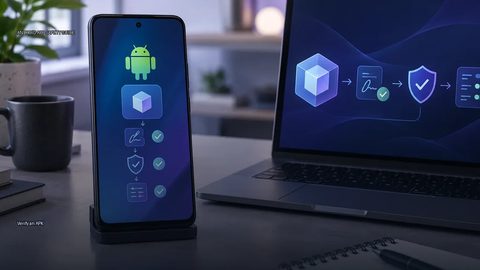 Verify an APK
To verify an APK, check its source, signing identity and requested permissions before installation.
Verify an APK
To verify an APK, check its source, signing identity and requested permissions before installation.